77z7 APK — Install Directly on Your Android Phone
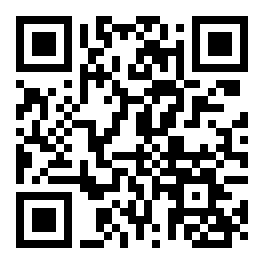
The official 77z7 app is not available on Google Play. Download the APK file directly from this page and install it on your phone in just a few minutes. Works on any Android 8.0 or higher device.
77z7.apk · 28 MB · Free
| Detail | Description |
|---|---|
| Version | 3.4.11 |
| File Name | 77z7.apk |
| File Size | 28 MB |
| Minimum Android | Android 8.0 (Oreo) |
| Last Updated | 26 November 2026 |
| Language | Bengali / English |
| Price | Free |
| Available At | Only from 77z7.vu |
To compare the app and mobile browser experience, check out the 77z7 App vs Website guide.
Getting started on iPhone
APK files don't work on iOS. To use 77z7 on your iPhone or iPad, open the site in Safari and add a shortcut to your home screen:
Open 77z7.vu in Safari (this option is not available in Chrome or other browsers).
Tap the Share icon () in the bottom toolbar.
Select "Add to Home Screen" from the menu and give it a name.
The 77z7 icon will appear on your home screen — tap it to open the site directly in full screen.
Allow installation from unknown sources
On Android 8.0 and above, you need to grant permission separately for each app.
Go to your phone's Settings → Apps (or Special App Access),
find "Install Unknown Apps" or "Install from Unknown Sources",
then enable permission for the browser you'll use to download (e.g. Chrome).
On Samsung phones, this option may be under Settings → Biometrics and Security.
Download the APK file
Open 77z7.vu/77z7-apk/ in your phone's browser and tap the
"Download APK" button.
The file will download directly from /download/77z7.apk.
Once the download starts, you can track the progress in the notification bar — it usually takes
30 seconds to 2 minutes depending on your connection speed. The file is 28 MB, so Wi-Fi is recommended.
Install from the Downloads folder
Once the download is complete, tap the notification, or go to File Manager → Downloads and
find 77z7.apk. Tap the file to begin installation.
Android will ask for confirmation once — tap "Install".
Installation finishes within 30 seconds. You'll see an "App installed" message on screen when done.
Turn off the permission after installation
After a successful install, go back and disable the permission you granted to the browser in Step 1. This is good security practice — it prevents other apps from being installed accidentally in the future. Then find the 77z7 icon on your home screen or app drawer and open it.
Log in or create a new account
If you already have an account, go ahead and log in. New here? Register from within the app or go to the registration page — the whole process takes just a few minutes. For detailed registration steps, check the registration guide; this page covers installation only.
Only enable "Unknown sources" when downloading APK files from a trusted source. The official 77z7 APK is available exclusively from the 77z7.vu domain — do not use files downloaded from any other site or Telegram group.
Once installation is done, turning off that permission keeps your phone just as secure as before.
Check before you install
- Android version 8.0 or above (Settings → About Phone)
- At least 50 MB of free storage on your phone
- A stable internet connection (Wi-Fi or 4G)
- The file is being downloaded from 77z7.vu, not a third-party source
- If an older version is installed, uninstall it first (direct update also works)
77z7.apk · 28 MB · Version 3.4.11
These five issues come up most often when installing the 77z7 APK. Match the error message below — most fixes take under two minutes.
| Issue / Error | Likely Cause | Fix |
|---|---|---|
|
Install blocked
"Install blocked" or "For your security…"
|
The browser or file manager has not been granted permission to install from "Unknown sources". | Go to Settings → Apps → Special Access → Install Unknown Apps — find Chrome or your file manager and turn it on. Then tap the file again. |
|
Package parse error
"There is a problem parsing the package"
|
The download stopped midway, leaving an incomplete or corrupted file. | Delete the existing 77z7.apk from your Downloads folder. Download it again on Wi-Fi or a stable 4G connection. Wait until the download bar shows 100% before opening the file. |
|
Not enough storage
"Insufficient storage available"
|
Less than 50 MB of free space on the phone, so the installation fails. | Go to Settings → Storage and delete unwanted photos, videos, or apps. Free up at least 50 MB, then try installing again. Clearing your browser cache can also help. |
|
App not installed
"App not installed" or "Installation failed"
|
An older version of the app is already on the phone and is conflicting with the new file. | Go to Settings → Apps and uninstall the old 77z7. Then install the new APK — your account and balance will remain exactly as they were, only the app gets updated. |
|
Device not compatible
"Device not compatible" or the Install button does nothing
|
The phone's Android version is below 8.0 (e.g. Android 7 or 6). | Check your Android version at Settings → About Phone → Software Information. If it is below 8.0, the app will not run — open 77z7.vu in your mobile browser and use the web version instead, which has all the same features. |
If none of the fixes above work, reach out to 77z7's 24/7 live chat support. Share your phone model and Android version in the chat and you'll get a faster resolution.
77z7 works on Android phones with 2 GB RAM or on a 3G network. Here are specific tips for each situation.
Situation 1 — Low RAM (2 GB or less)
On low-RAM phones the app may load slowly, especially when multiple apps are open in the background. Clearing the cache regularly and keeping background apps to a minimum lets card and fishing games like Joker Poker or Cat Fishing run smoothly. For graphics-heavy slot games, enable the low-graphics option inside the app if available.
Situation 2 — Slow network (2G / 3G)
Live games may not load properly on 2G connections. Card games and slots run fine on 3G or above. Turning on Data Saver mode on Android reduces background data usage, so more bandwidth goes to your game. Use Wi-Fi where possible — especially when downloading the APK for the first time.
Clear the app cache
Go to Settings → Apps → 77z7 → Storage → Clear Cache. Doing this once a week helps keep the app running smoothly.
Turn on Battery Saver
Battery Saver mode slows the processor slightly, but you won't notice much difference in card games. It helps save charge during long sessions.
Close background apps
Press the recent apps button and swipe away everything else. Freeing up RAM helps the 77z7 app respond faster.
Use Data Saver mode
Go to Settings → Network → Data Usage → turn on Data Saver. This cuts background app data so your game gets more bandwidth.
Lower your screen brightness
During long sessions, keeping screen brightness below 60% reduces phone heating and helps the battery last longer.
Keep the app updated
New versions include performance fixes. Check 77z7.vu/77z7-apk/ from time to time and compare the version number. Current version is 3.4.11.
- Is it safe to download the 77z7 APK?
-
Yes, as long as you download the file directly from 77z7.vu. Files from outside the official site — Telegram groups, third-party APK sites, or WhatsApp links — may contain modified code. The download button on this page goes directly to the official
/download/77z7.apk. - How do I update the app in the future?
-
Since 77z7 isn't on Google Play, updates don't happen automatically. When a new version is released, the version number on the 77z7.vu/77z7-apk/ page will change. Just download the new APK from there and install it — it will install over the existing app and your account, balance, and history will stay intact.
- Can the same APK be installed on multiple phones?
-
Yes, the same APK file can be installed on as many phones as you like. While you can log into one account from multiple devices at the same time, it's better to stick to one device for security. Each person needs their own separate account.
- Do I need to create a new account after installing the app?
-
If you already have a 77z7 account, just log in — no need to register again. If you're new, you can create an account from inside the app or visit the Register page. For step-by-step login instructions, check the Login Guide.
- Is there any charge to download the APK?
-
No, the 77z7 APK is completely free. There are no fees for downloading or installing. You'll only use mobile data — the file is 28 MB, so that much data will be consumed if you download it on mobile.
- Do I need to uninstall the old version first?
-
In most cases, the update installs directly over the old version. If you get an "App not installed" error, uninstall the old version first and then install the new one. Uninstalling won't affect your account or balance — all data is stored on the server.
APK installed? Get started now
Open the app and register right away. You'll get a bonus on your first deposit — see the full terms in the Bonus & VIP Guide.